Sports and event replay
Marking and playing back a moment while the next one is already happening. The clip window is seconds wide, and a mouse spends most of them travelling.
vMix Replay Control
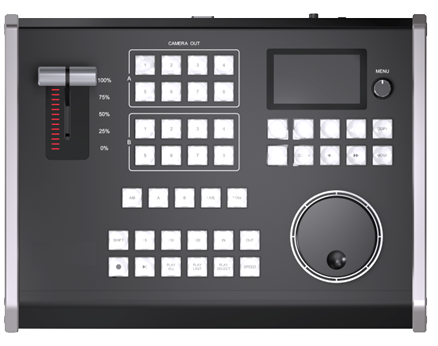
KD61B puts IN/OUT marking, event lists, A/B camera selection, playback and jog-wheel search on hardware — over TCP or USB-MIDI. These are the replay actions a mouse is slowest at, and the ones that happen while the show is still moving.
Best Fit
Marking and playing back a moment while the next one is already happening. The clip window is seconds wide, and a mouse spends most of them travelling.
One operator is already running the switch. Replay has to become muscle memory on a surface they can find without looking, not a second application to learn.
vMix is on a machine somewhere else in the building. TCP over the LAN puts the panel wherever the operator sits, instead of at the end of a USB cable.
KD61B
KD61B focuses on the replay actions that are hard to perform quickly with only mouse and keyboard: IN/OUT marking, event list movement, A/B camera selection, playback, live return, T-Bar speed, and jog-wheel search.
Workflow Learning
Recommendation