Too many clicks
ATEM Software Control and Companion can do a lot, but mouse-driven operation becomes stressful during live production.
ATEM + Companion Workflow
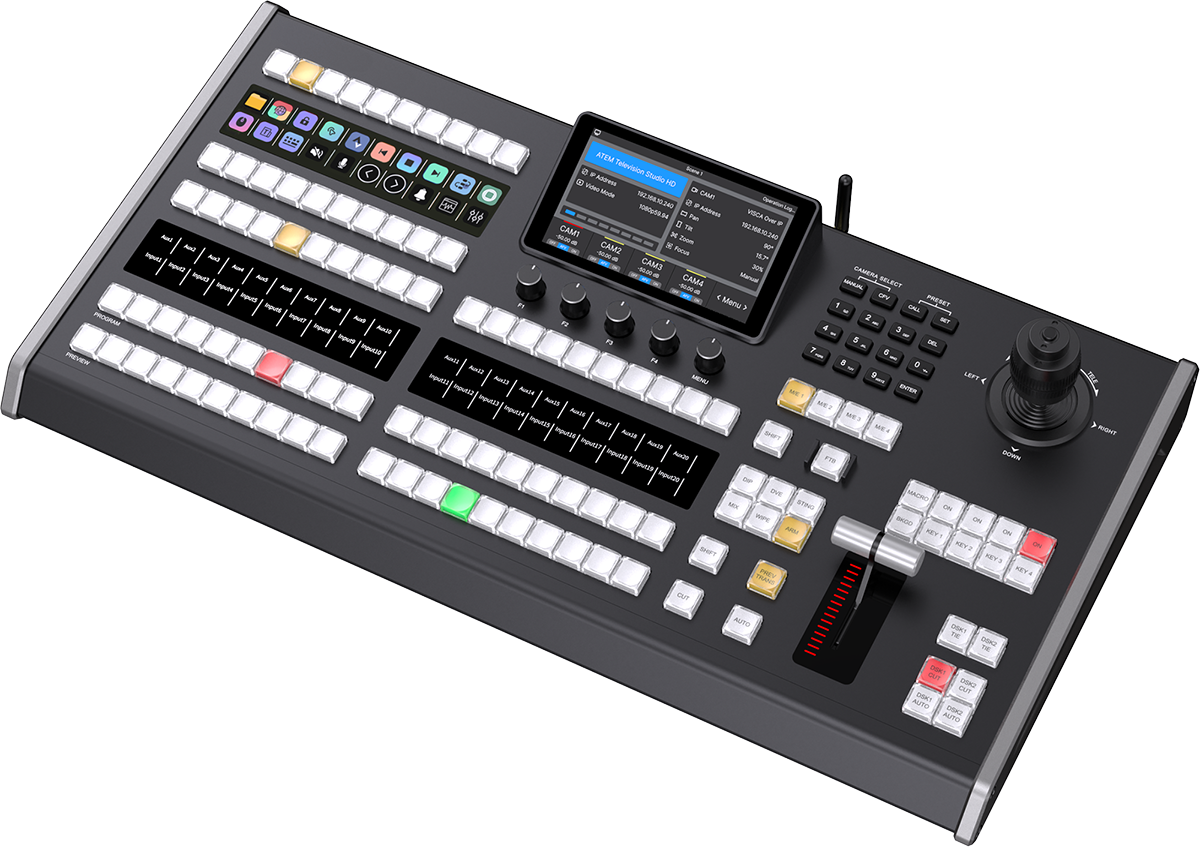
ATEM handles switching. Companion handles cross-device actions. A dedicated AVCLUE panel turns both into visible, tactile, repeatable show control for churches, studios, classrooms, and event teams.
Why It Matters
ATEM Software Control and Companion can do a lot, but mouse-driven operation becomes stressful during live production.
If macro buttons are not mapped to a clear hardware surface, only one technical person knows how to run the show.
ATEM, OBS, vMix, Zoom, audio, graphics, and stream actions often live in separate windows or devices.
Recommended Flow
Program, preview, transitions, keys, and camera inputs stay in the ATEM production core.
Companion runs macro-style actions for ATEM, OBS, vMix, Zoom, stream tools, graphics, and utilities.
A tactile panel makes repeatable show actions visible and easier for operators to trust.
The operator triggers show scenes, overlays, stream actions, and recording without hunting through windows.
Product Fit
Best when the workflow is mainly ATEM + Bitfocus Companion and the team wants a compact hardware surface.
Best when the same compact panel needs to move between ATEM, vMix, and OBS workflows.
Best when switching, Companion, MIDI, PTZ, macros, and wider production control should live on one surface.
Macro Examples
The strongest Companion layouts are built around moments the operator repeats every show.
Best For
Not Ideal For
Related Pages
FAQ
Not always. ATEM can switch video by itself, but Companion becomes useful when you need repeatable actions across multiple devices and apps.
KD50B is the focused ATEM + Companion option. KD50X is better when you also use vMix or OBS. KD60A2 is best for larger multi-system workflows.
Yes, if the button layout is planned around the show flow instead of every possible technical feature.
It can be a strong setup when volunteers need simple, repeatable buttons for service start, camera cuts, graphics, streaming, and recording.
Choose KD60A2 when the control surface needs to cover ATEM, Companion, MIDI, PTZ, macros, and wider production control instead of one compact workflow.
Next Step
Tell us your switcher, software stack, number of cameras, operator count, and the actions you want on physical buttons.
Ask AVCLUE on WhatsApp